
How to connect devices and share access to your Wi-Fi network
There are three ways to connect devices to your Wi-Fi network and share access:
If you have a gateway modem, you can also use WPS (not for 360 WiFi):
Enter the Wi-Fi password on your device
To connect a device to your network, follow these steps:
2. Enable Wi-Fi on your device. Most devices have a setting called "Connections" or "Network" where you can enable or toggle on Wi-Fi.
3. Select your network. You'll see a list of available Wi-Fi networks. Find yours in the list (this is your SSID or network name).
4. Enter your Wi-Fi password. This is your security key. Enter it, paying close attention to capitalization, and select "Join" or "Connect." The device will check the security settings and connect within a moment or two.
Optional: Most devices have the option to "Connect automatically" or "Remember this network." When you enable this, your device will always connect to that network without entering the password each time.
Scan the join code in the Quantum Fiber app
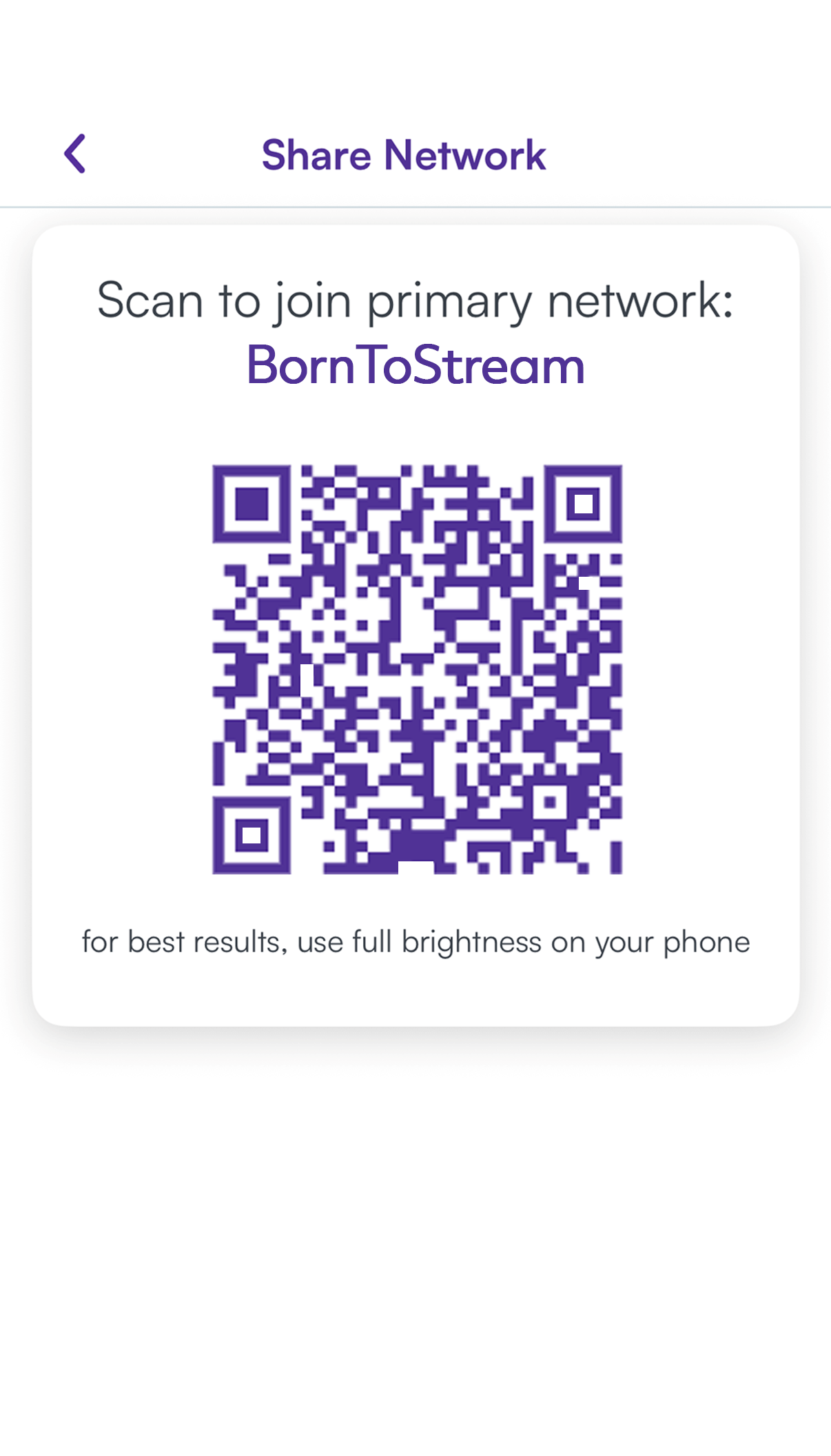
You can connect a mobile device to your Wi-Fi using a unique QR code in the app.
- Sign in to the app on a mobile device that's already connected to your Wi-Fi.
2. Tap Network Information.
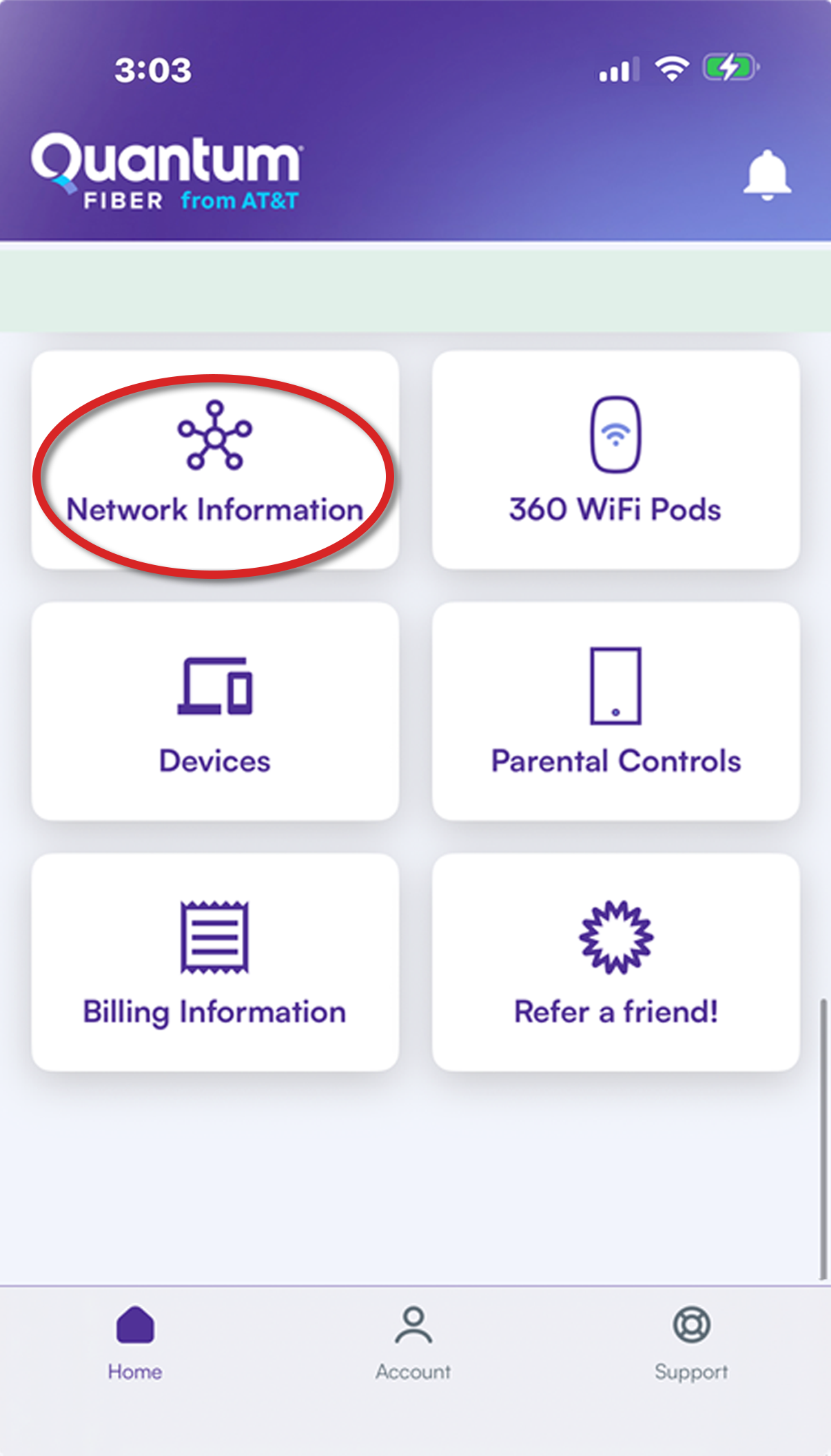
3. Tap Share Network to see the QR code.
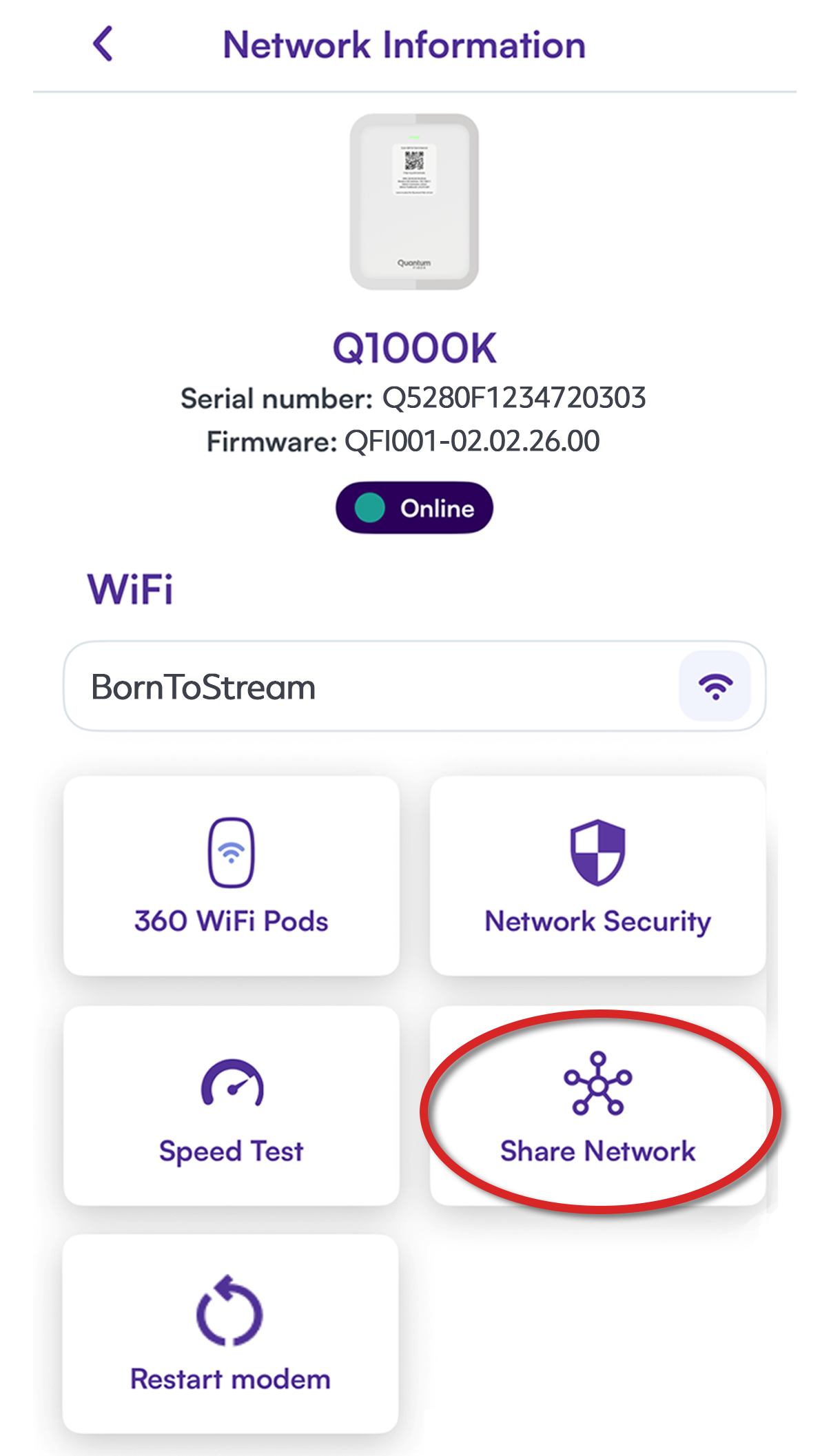
4. Scan the code. Use a mobile device with a camera to scan the QR code. Follow the prompts to confirm and join the network. No password required!
Connect with WPS on the modem
Instructions may vary slightly by router and device, but generally, here's how to connect with WPS:
1. Push the WPS button on the router. The button will typically begin to flash amber/orange, letting you know it is searching for a device to connect.
2. Select the name of the wireless network (SSID) on the device's Wi-Fi settings. Your device should complete the connection without entering a password.

How to disconnect or forget a network
Access your wireless or network settings in the same way you did above (varies by device). You may see two separate options to "Disconnect" or to "Forget" the connection.
- Disconnect will only turn off the Wi-Fi connection temporarily. If you have it set to auto-connect, it will remember your password and connect again the next time you start your device or refresh the Wi-Fi.
- Forget will delete the Wi-Fi network settings from your device and will no longer auto-connect. If you want to use it again in the future, you'll select the network name and enter the Wi-Fi password as you did the first time.
Having issues connecting to your Wi-Fi?
If your device won't connect, usually there's a problem with the device's network settings or hardware, or you've got a password error. Try these steps to see if you can refresh the connection:
- Restart your device.
- Double check your Wi-Fi password. If you updated it, you will need to reconnect to the network on every device.
- In your device settings, forget all saved networks, then restart the device and try connecting again.
- Change your Wi-Fi password, then connect again using the new password.
- Restart your SmartNID or modem. You can restart in the app or manually.
- For a wireless modem (gateway), check the wireless settings to see if Wi-Fi is disabled or is turned off according to a set schedule.
or - For 360 WiFi, check out these troubleshooting options to check your pods.
Need more help? Chat with us here, in the app, or from the account portal. If you prefer to call, that's an option.
Related topics
-
Modem user guides -
Change Wi-Fi password -
360 WiFi -
Connect a smart TV
Get the app


Manage your Quantum Fiber account
Was this information helpful?
© 2026 AT&T Intellectual Property. AT&T and globe logo are registered trademarks of AT&T Intellectual Property. All other marks are the property of their respective owners.


© 2026 AT&T Intellectual Property. AT&T and globe logo are registered trademarks of AT&T Intellectual Property. All other marks are the property of their respective owners.