
Check for outages
If your interent is out competely, this could be caused by equipment failure, an outage in the Quantum Fiber network, or some other root cause. If you notice a service interruption, use the link below to check our outage map. Be sure to download the Quantum Fiber app to stay up to date on outages.
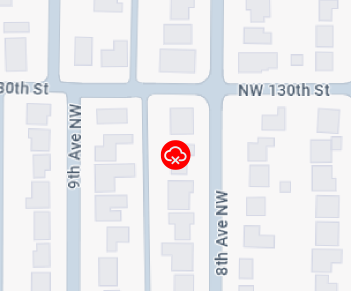
Sample outage map
Video: Troubleshooting no connection
Be sure to turn on service notifications from Quantum Fiber. That way, if you're affected by an outage, you'll receive alerts. You can also check the app or sign in to your account on the web to see if there's a known outage in your area.
To receive outage alerts, be sure to turn on service notifications through your account on the web or in the app.
In the app
In the app, go to the Communication preferences area in account settings. Turn on Service calls and texts using the toggle button to the right.
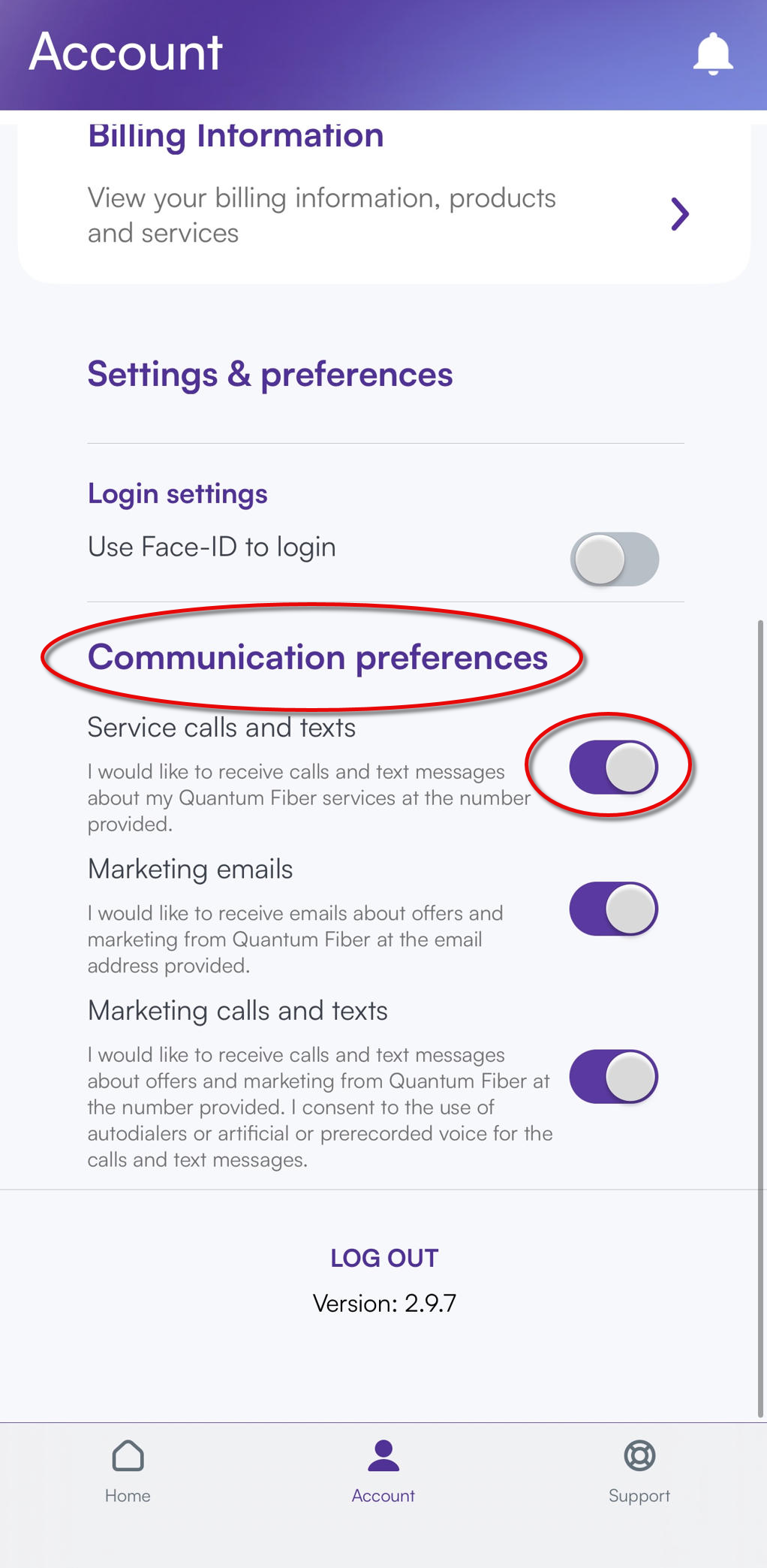
To receive push notifications from the app to your mobile device, you'll need to enable notifications in your phone's general settings as well as in the Quantum Fiber app settings.
On the web
On our account website, go to the Notification Preferences area in account settings. Make sure the "Phone" option for Account services is turned on using the toggle. Check that your contact information is correct in the area above that.
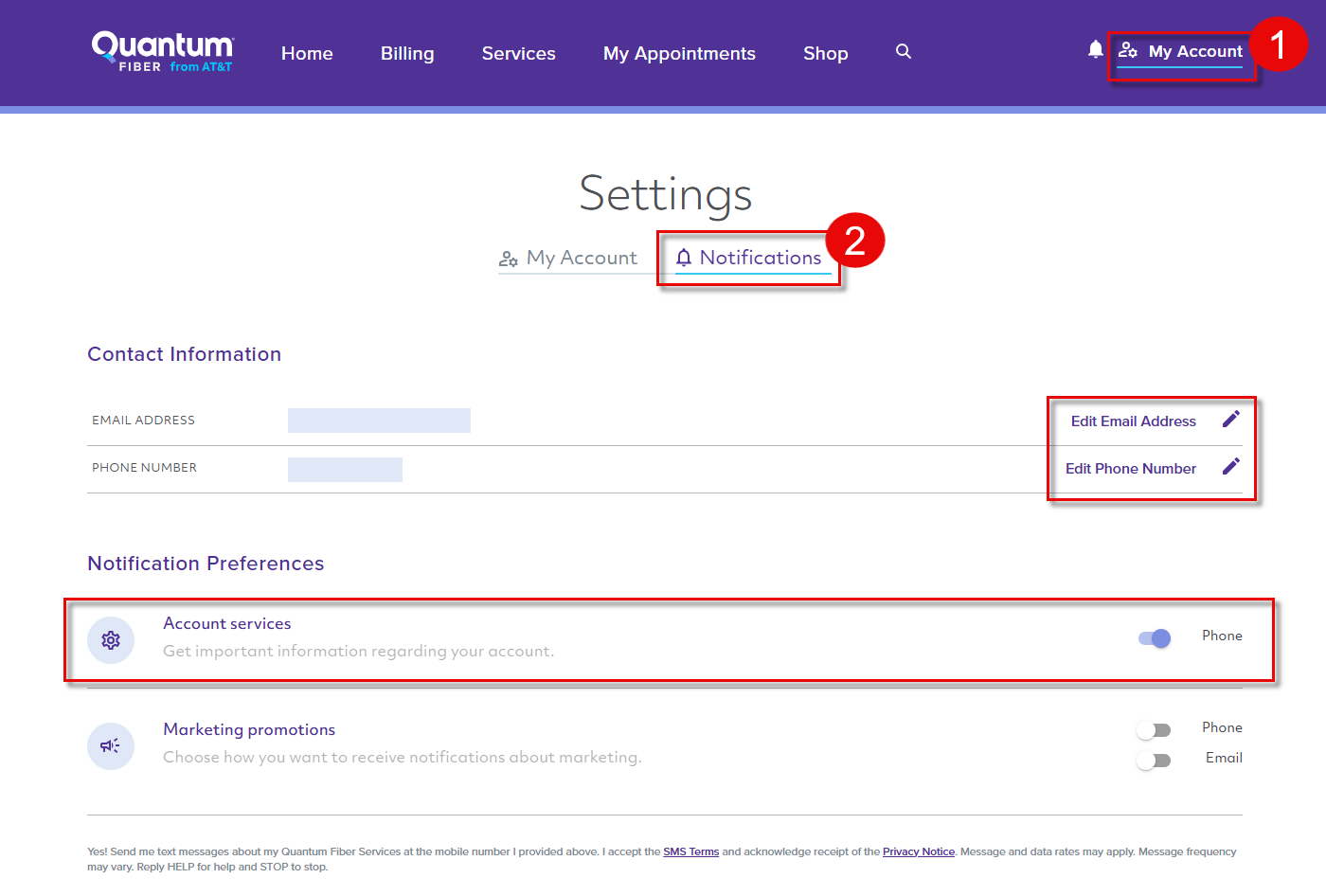
If we detect a service outage impacting your address, we'll send you a text alert. Make sure this setting is enabled in the app (see the previous section). If your phone number doesn't accept text messages (SMS), you'll get a recorded voice message instead.
You can expect these alerts:
- Initial notice of outage, with estimated restoration time if available
- Updates as they become available
- Notice that service has been restored
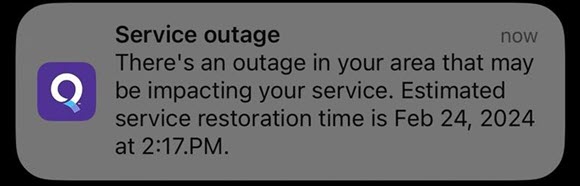
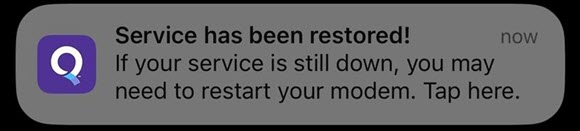
Sample mobile push notifications from the app.
When you open the app or sign in to your account on the web, you'll also see any active outage alerts on the home screen. The estimated time of resolution will be shown there as well, as soon as it is known.
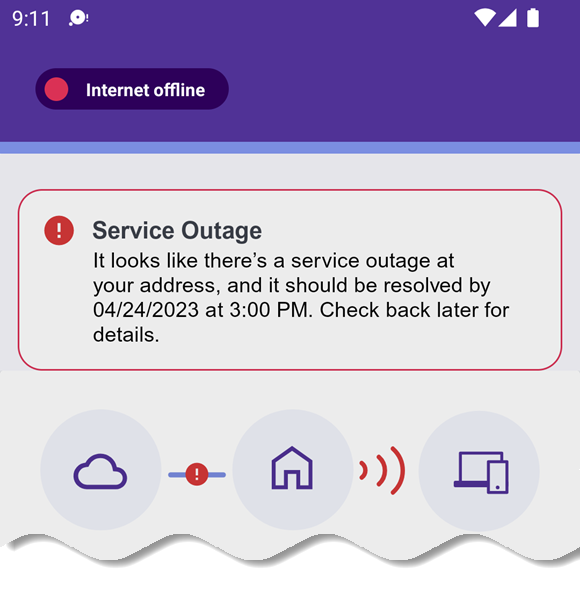
Sample outage alert in the app, at the top of the home screen. As long as you have a mobile data plan from your phone carrier, you'll be able to use the app or the website on your phone during an Quantum Fiber outage.
Check your equipment
If you don't see an outage notice on your app, then your connection problems could be caused by issues with your equipment or setup. Head over to our general troubleshooting page for some steps you can take to check and correct some common problems.
Do you have 360 WiFi? There are some specific things to check to make sure your WiFi pods are connected and working.
Check your power
Be sure that the cause of your internet outage isn't actually a full power outage. In the event of power failure, your Quantum Fiber service will also go down until the electric company restores service.
If you need additional help or want to report an outage, please contact us. We'll send out a technician if necessary and get you the help you need.
Important note: After an outage, it's always a good idea to restart your modem or SmartNID.
Outage FAQs
Your internet connection is only part of the speed equation. Your devices also play a major role. To get the best performance, make sure devices and apps are current, running smoothly, and free of malware.
Use the outage checker to enter your address and find out quickly if you're in an outage. Or, you can sign in to the Quantum Fiber app or your online account—if you're in an outage, you'll see a message across the top of your home screen.
To stay up to date on outage information, you can receive notifications in the Account Website or in the Quantum Fiber App.
If an outage occurs, push notifications can be sent through the App. To receive these notifications, please ensure that notifications are enabled on your smartphone.
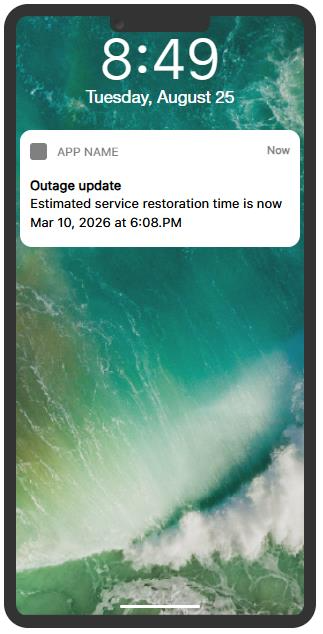
Important note: Receiving push notifications in the App requires notifications to be enabled on your smart phone.
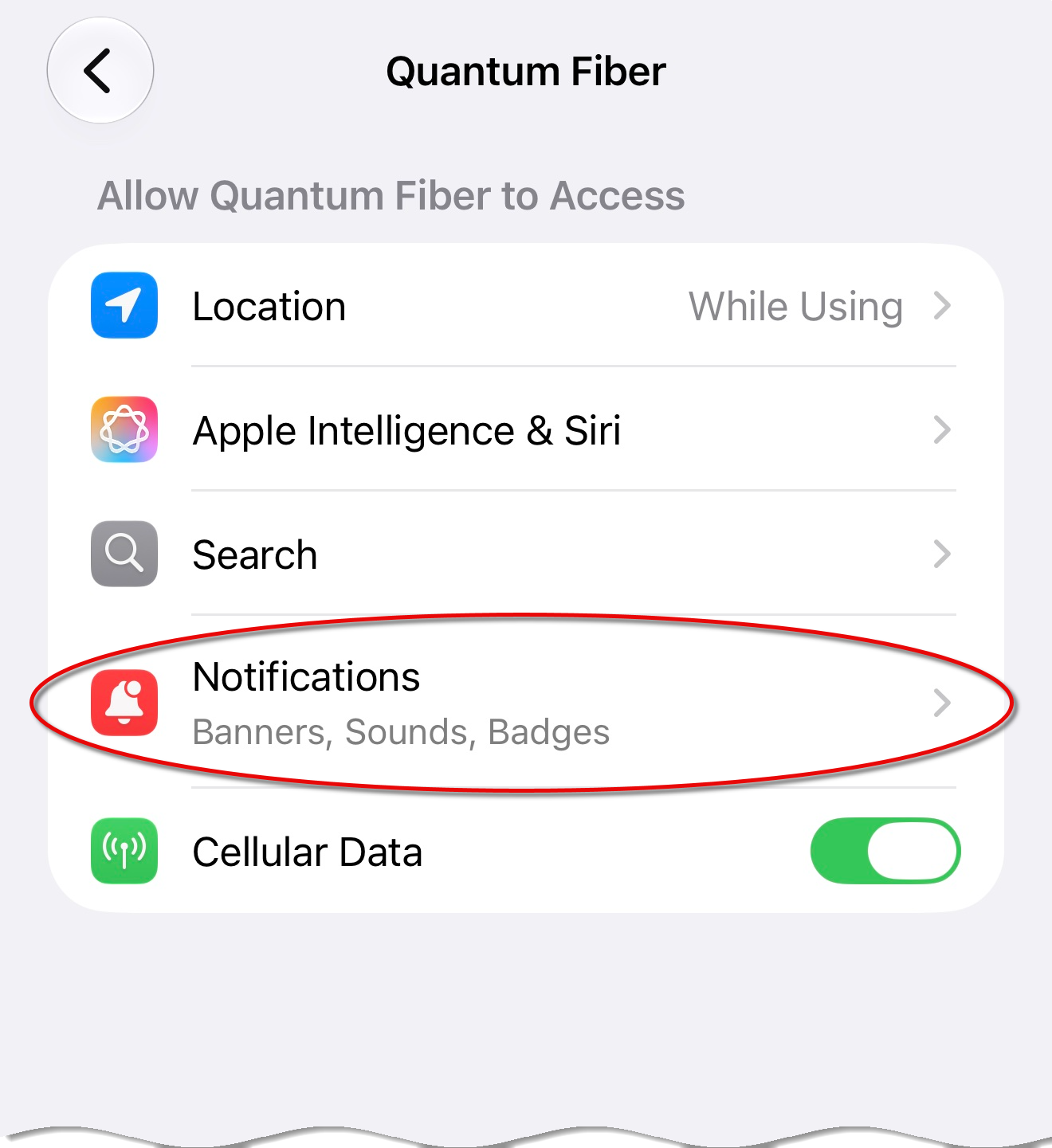
If an outage is occurring, an outage banner will display in the Quantum Fiber App when signing into the app.
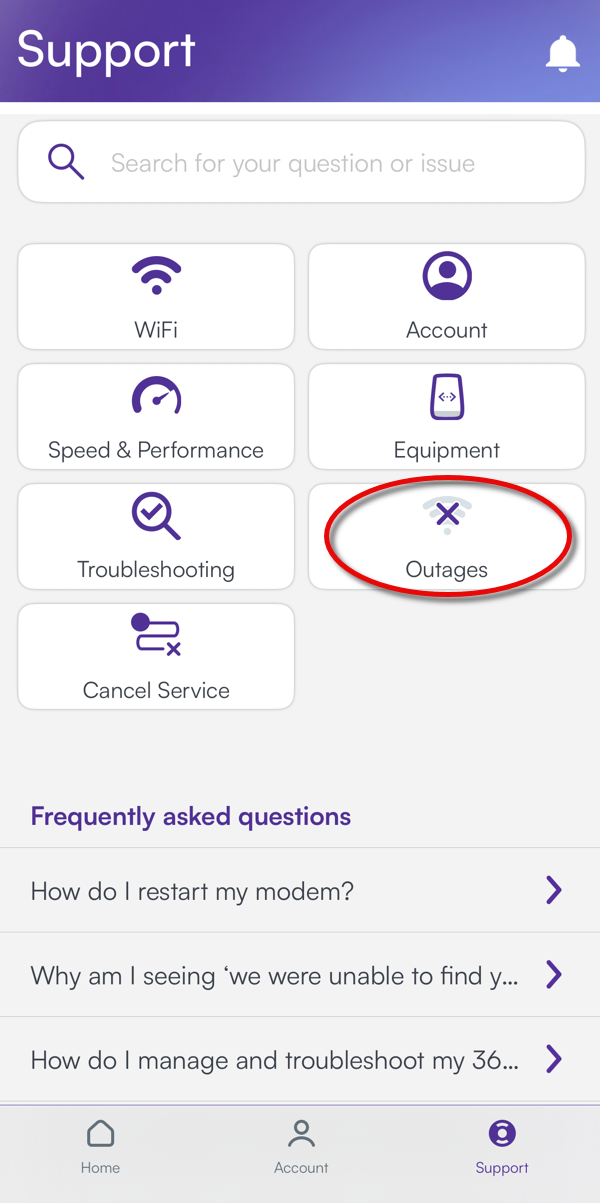
In the App, you can also navigate to the Support screen, and then tap the Outages tile to check for outage status.
If you don't have a battery backup unit (BBU), then a power outage will interrupt your internet connection. Once your utility provider restores power, your Quantum Fiber internet should be restored as well.
No, if your modem or SmartNID can't access the internet, your WiFi won't work. Depending on your phone plan, you may be able to access websites and apps through mobile data.
No, any devices or appliances that are connected over WiFi will not work during an internet outage. This includes wireless printers, digital doorbells, thermostats, security systems, etc. Please refer to the device manual to learn more about your specific unit.
Following an outage, we suggest you restart your SmartNID or modem to refresh the connection to our network.
If you’ve experienced an outage and would like a credit, contact us and we can help. We're available by phone 7 days a week, 7 a.m. to 11 p.m. CST, at 833-250-6306. Or chat with us using the purple chat bubble from any screen on our website or app.
There are several possible reasons for an internet outage to occur. The most common causes include storms, power outages, and network equipment problems.
This can happen, but we try to avoid this situation by providing multiple chances to address any payment issues. If your payment fails, we'll send out three separate notifications by email and text. If the issue is not resolved, then you'll receive a final warning that your account will be closed. If your service is suspended for nonpayment, you'll need to sign in to your online account and enter current payment information. Once payment goes through, your internet will be restored.
Need more help? Chat with us here, in the app, or from the account portal. If you prefer to call, you can do that too.

Related topics
-
Equipment troubleshooting -
SmartNID or modem restart -
Get help from a technician
Get the app


Manage your Quantum Fiber account
Was this information helpful?
© 2026 AT&T Intellectual Property. AT&T and globe logo are registered trademarks of AT&T Intellectual Property. All other marks are the property of their respective owners.


© 2026 AT&T Intellectual Property. AT&T and globe logo are registered trademarks of AT&T Intellectual Property. All other marks are the property of their respective owners.